Text message terms
Shimly job notifications · Last updated November 10, 2026
What these texts are
Shimly is software that builders and remodelers use to run their jobs. When a builder that uses Shimly works with you, Shimly can text you about that work, from Shimly's number, on the builder's behalf. Every text starts with "Shimly:" and names the builder, for example "Shimly: Copperline Builders - Your estimate is ready to look at: https://app.shimlyapp.com/...".
The texts are about your job only:
- Clients: an estimate, change order, invoice or document to sign; a payment received; a new message; a question; a short survey after the job.
- Crew and subcontractors: being scheduled or taken off a task, dates that moved, a reminder the evening before a job day, and questions to answer.
- The builder's own office staff: alerts such as a new website inquiry, an accepted estimate, or a payment received.
No marketing or advertising is sent, and Shimly never sells or shares your number.
How you sign up
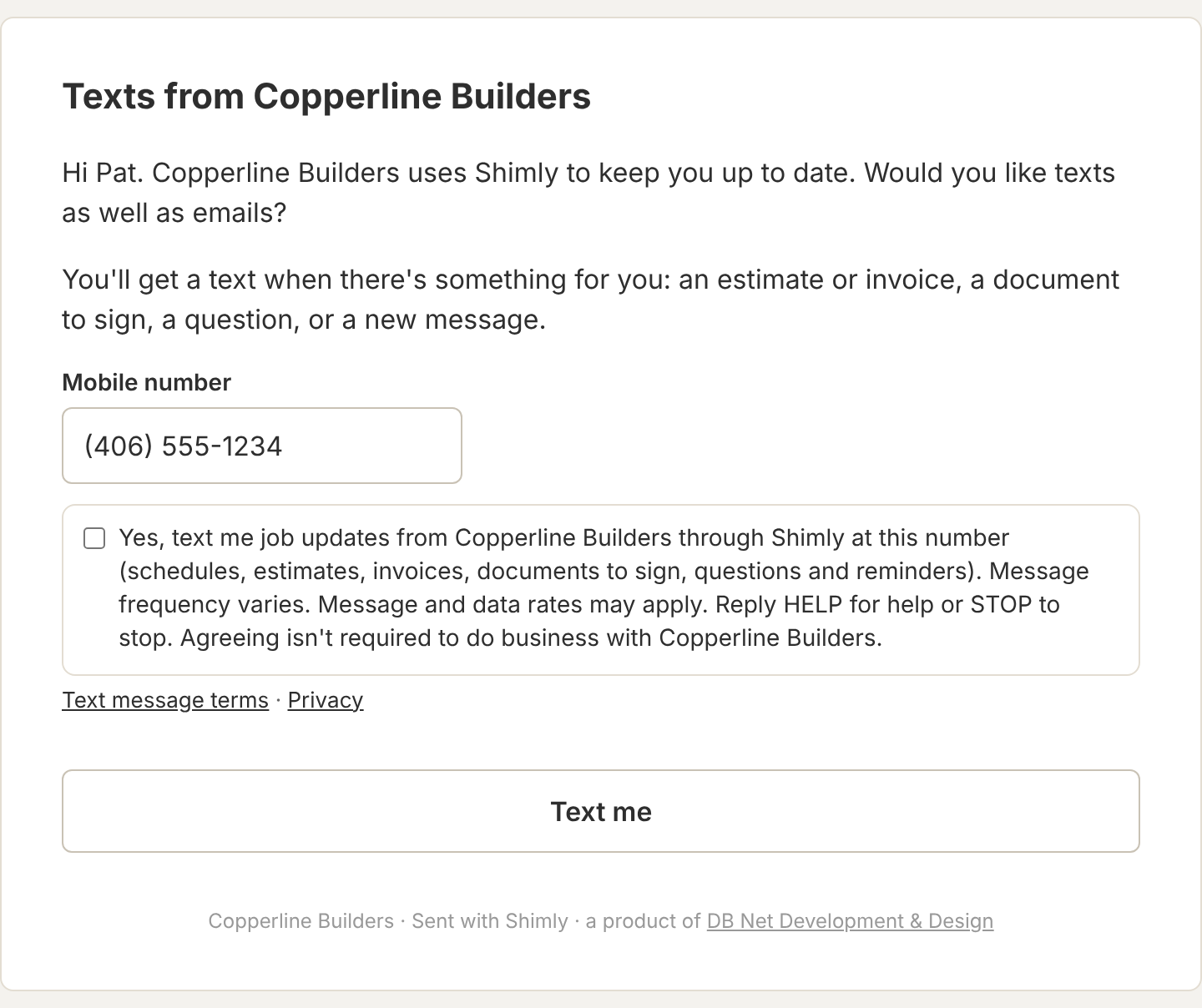
You only get texts if you say yes yourself, by entering your mobile number and ticking a box that shows these words: "Yes, text me job updates from [builder] through Shimly at this number (schedules, estimates, invoices, documents to sign, questions and reminders). Message frequency varies. Message and data rates may apply. Reply HELP for help or STOP to stop. Agreeing isn't required to do business with [builder]."
The box is never ticked for you, and saying no doesn't change how the builder works with you: you keep getting emails. You can sign up on your project page, in your Shimly account, from a sign-up link the builder emails you, or with the same box on the builder's forms: their website contact form, the form for your contact details, and the page where you accept an estimate or approve a change order. Right after you sign up, you get one text confirming it.
How often
Message frequency varies with your job: usually a few texts a week while work is going on. Texts aren't sent between 9 pm and 8 am.
Cost
Shimly doesn't charge you for texts. Message and data rates may apply from your mobile carrier.
Stopping and help
Reply STOP to any text to stop all texts from Shimly. You'll get one text confirming you've been unsubscribed, and no more after that. To start again, reply START, or sign up again. You can also stop texts in your Shimly account or on your project page.
Reply HELP for help, or email support@shimlyapp.com.
A text you send back to Shimly's number is passed on to the builder who last texted you.
Other things to know
- Carriers are not liable for delayed or undelivered messages.
- Texts go to US and Canadian mobile numbers.
- How we handle your number and your yes is in our privacy policy. We don't share mobile numbers or text consent with anyone for their marketing.
- Texts are sent by DB Net Development & Design, which makes Shimly, using Twilio.